Install VCC
Visit this URL, select Download the Creator Companion.
Install Unity
Go to Unity official website to download Unity Hub, visit this URL to get the Unity version required by VCC.
Install Shaders
Visit lilToon, click Click here to add lilToon to VCC or ALCOM, then click Add in the popped-up VCC window.
Create Project
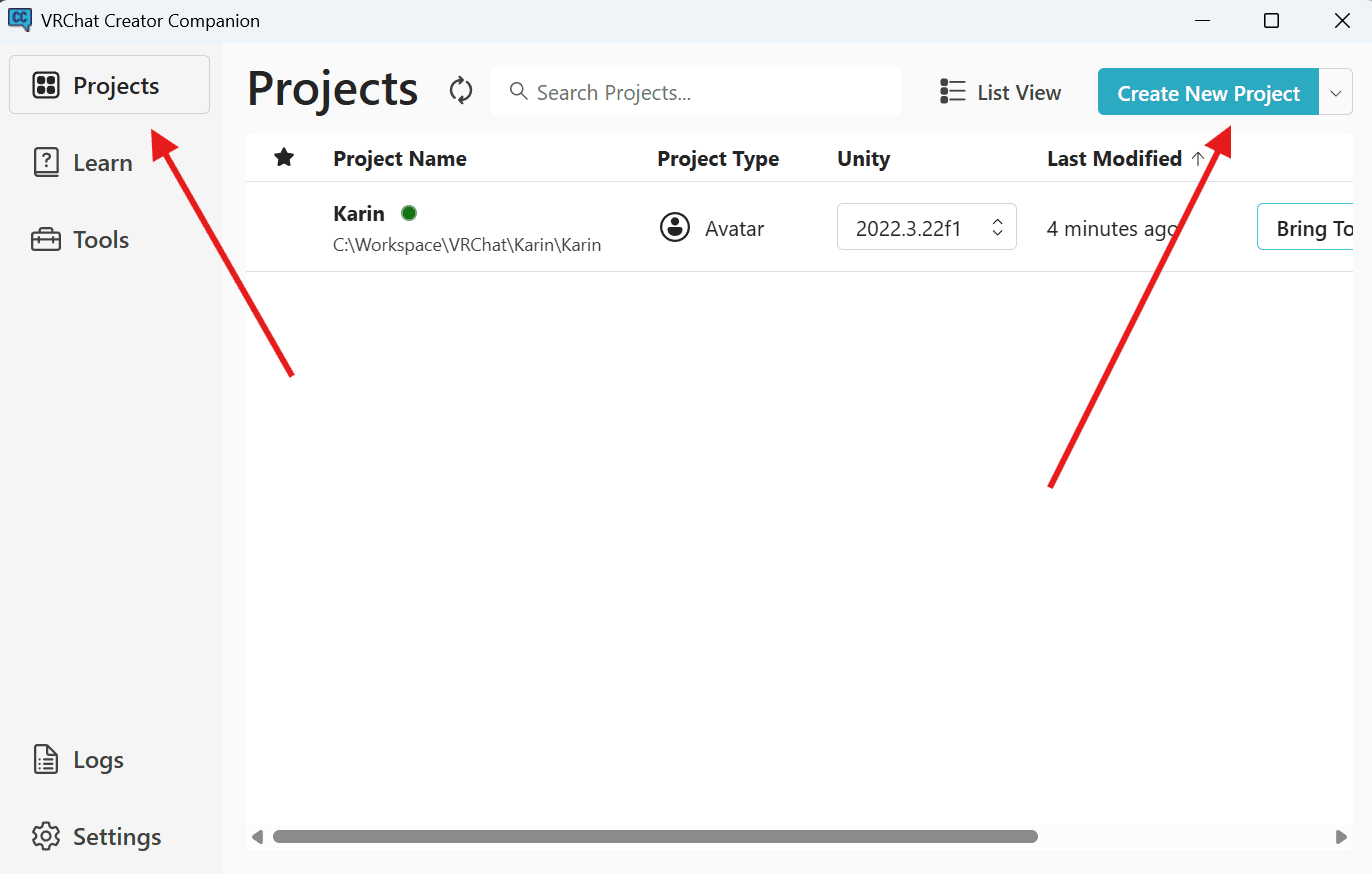
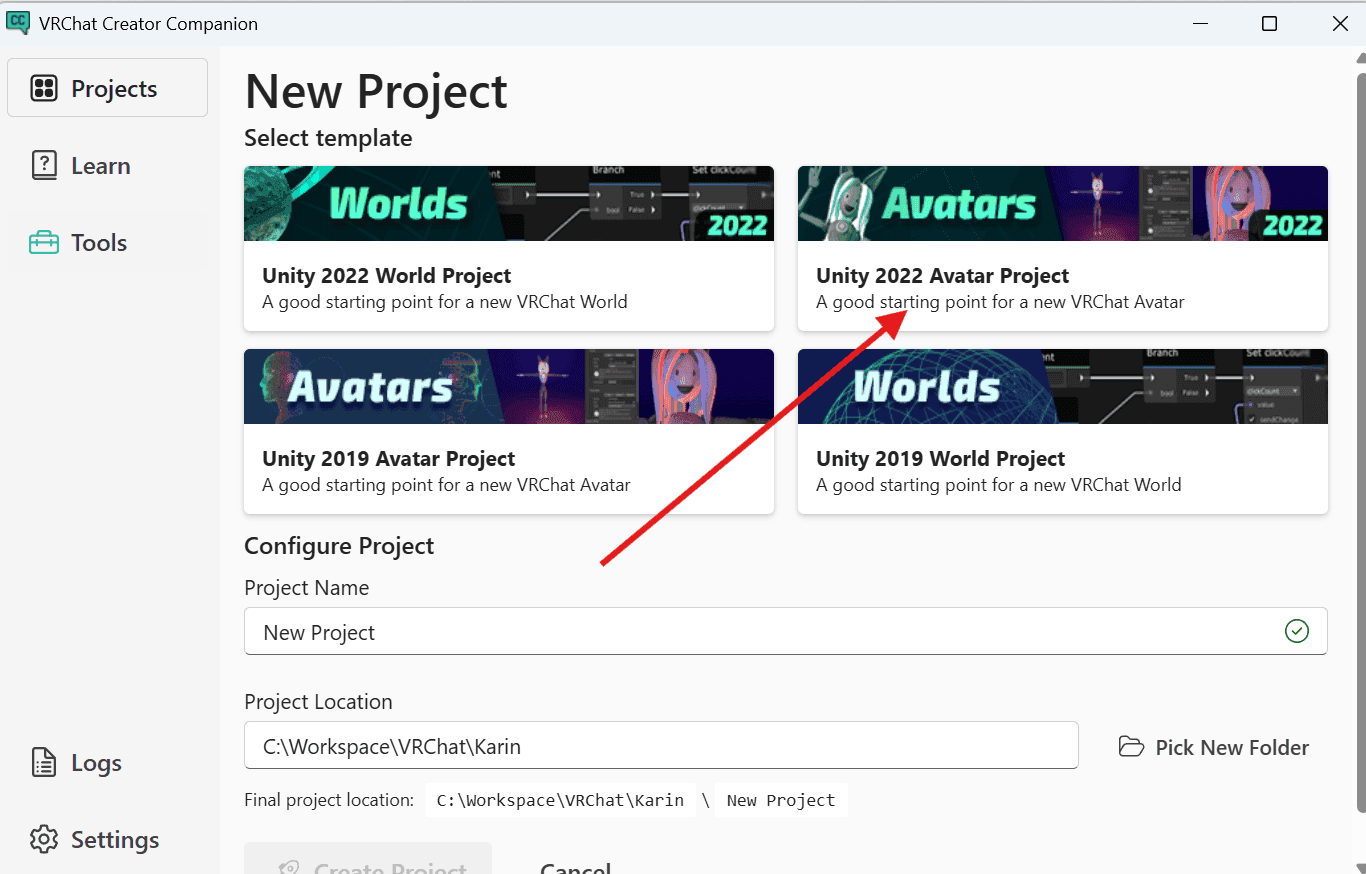
Open VCC, Projects -> Create New Projects -> Avatar Projects
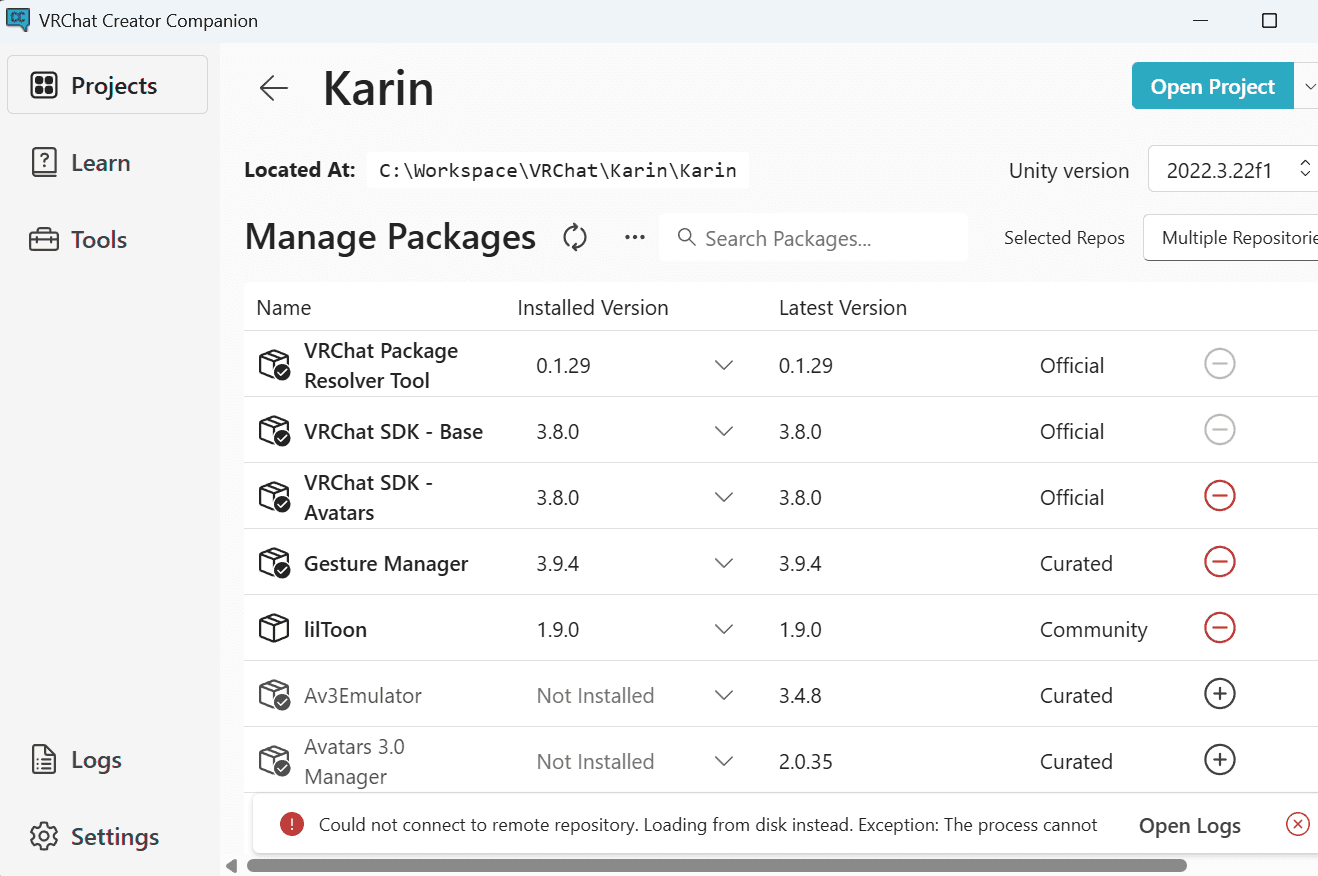
Install the plugins shown in the figure below, it is recommended to install Gesture Manager, which can simulate the game menu page in Unity.
Import Model
Double-click the .unitypackage file, click import.
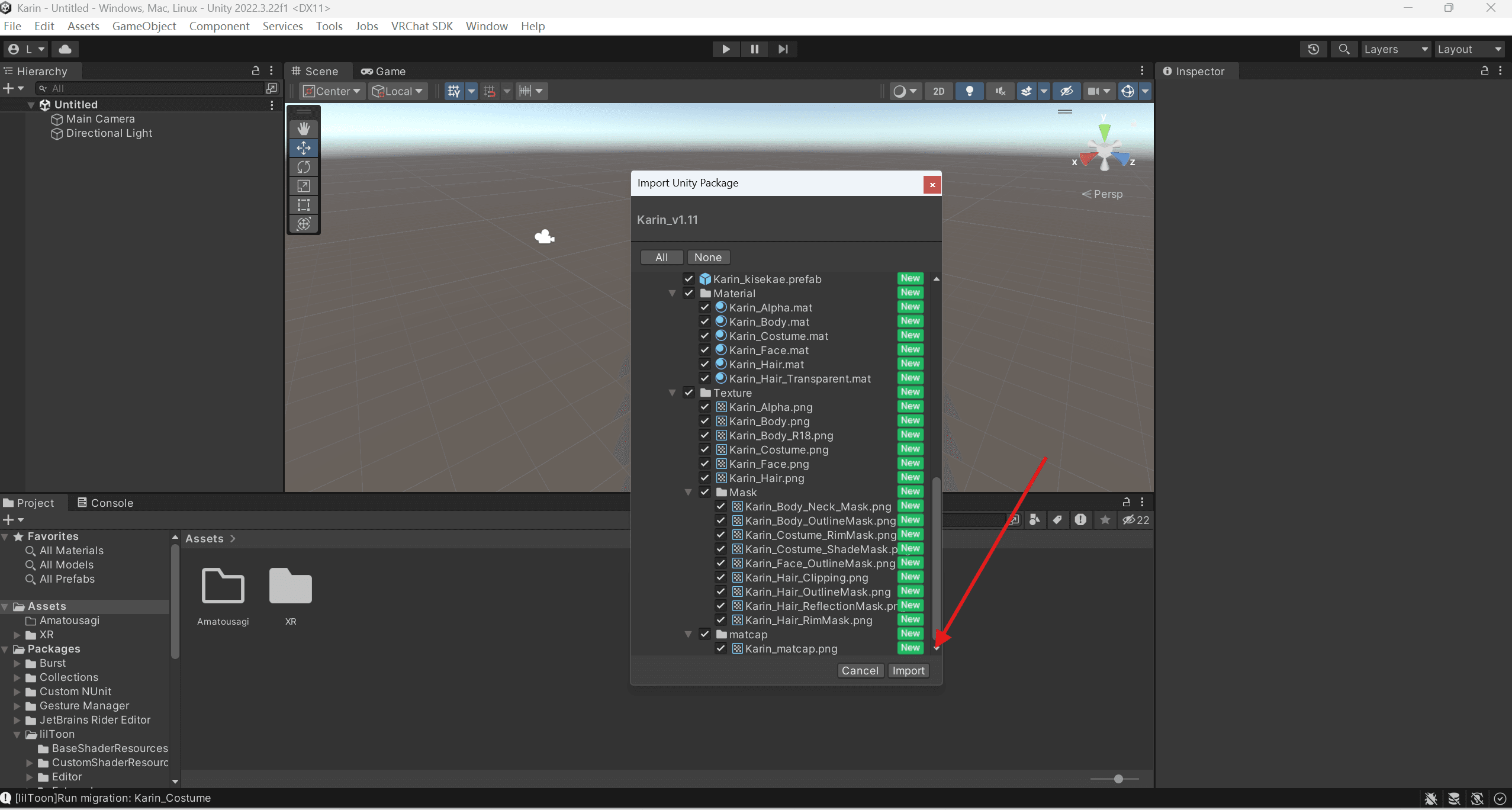
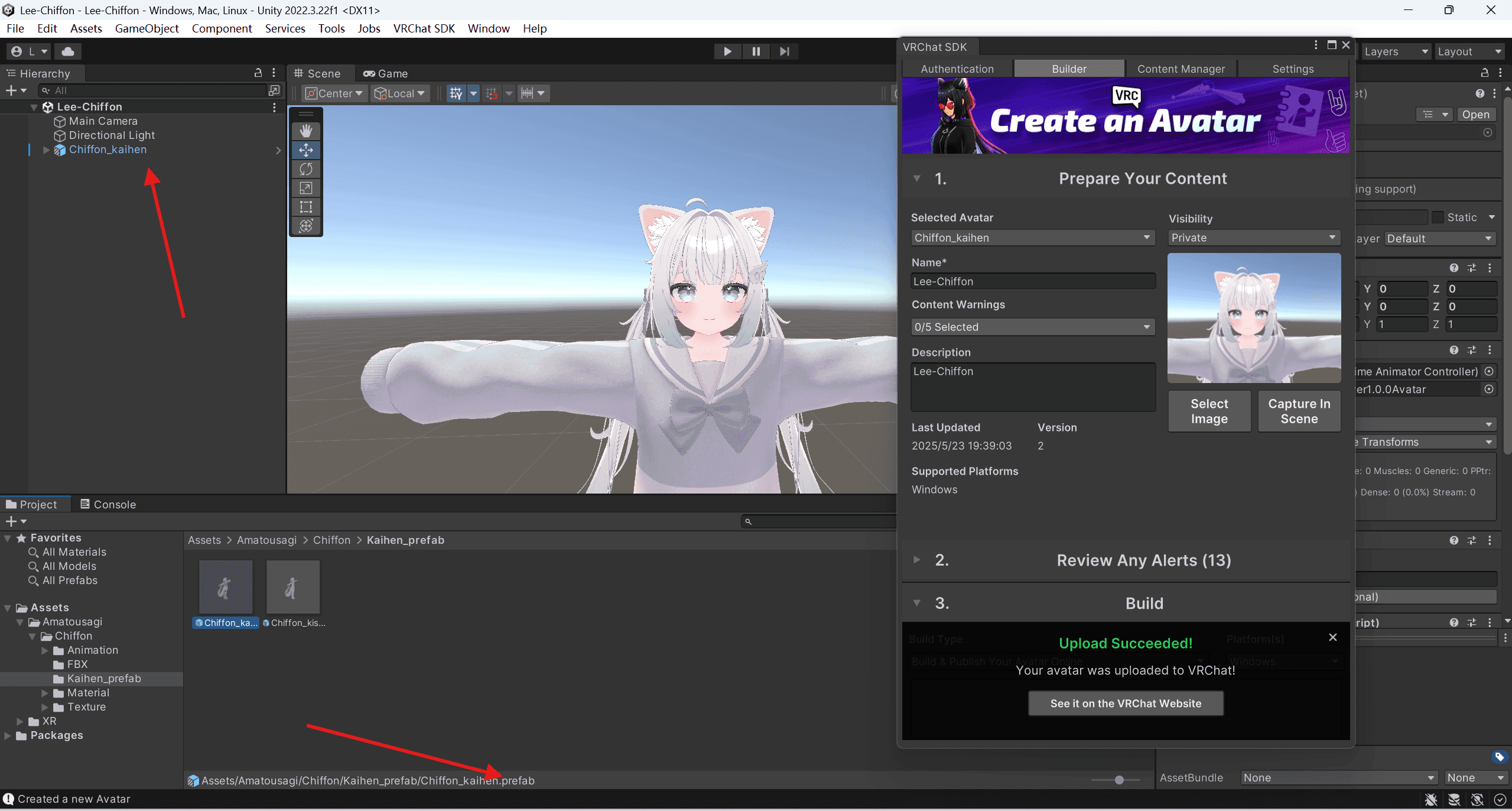
Find the .prefab file and drag it to the upper left window.
Publish
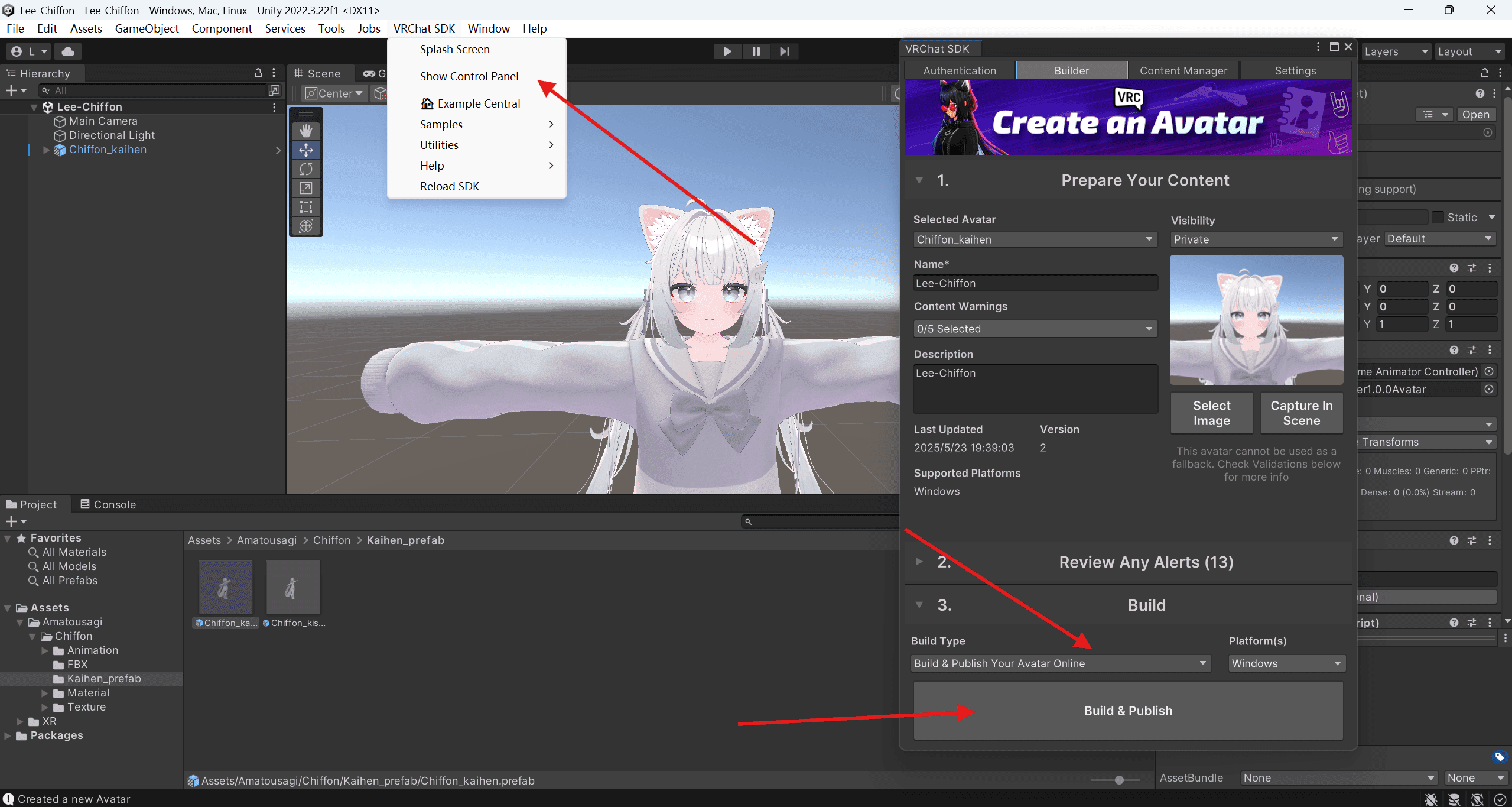
Enter the VCC menu, log in to your account and set the model cover and name, click Publish to publish.